Local AI Assisted Development with OpenCode, Qwen 3.6 and llama.cpp
The idea of being dependent on paid closed service to code or develop software doesn't sit right with me as a free/open source software advocate. It's counter to the right to run, study, change and share software.
I was reluctant to use proprietary agents like Claude Code and proprietary AI cloud services, in my development workflow, not matter how good it is. It's a similar case to proprietary software. It can be really good, but there are a lot of hard lessons learned from the past in which suddenly you have no control or access to the software or tool you depend on, to always be wary.
So I was quite happy that recent developments for open weight AI models like Qwen 3.6 made them good enough to be able to assist in day to day development tasks, but still be able to run locally on hardware that is still within reach of consumers. In my case a 5 year old AMD Ryzen 5950x with 64GB DDR4 memory and Radeon 9070XT GPU with 16GB VRAM.
llama.cpp options for this hardware and model that I'm currently using ~30 token/s. You can tweak it with Q4 to get ~40-45 tokens/s:
llama-server \
-t 16 \
--ctx-size 131072 \
--n-cpu-moe 32 \
--port 8000 \
--jinja -fa on \
--temp 0.6 \
--top-p 0.95 \
--top-k 20 \
--min-p 0.0 \
--presence-penalty 0.0 \
--repeat-penalty 1.0 \
--mlock \
--no-mmap \
--batch-size 512 \
-hf unsloth/Qwen3.6-35B-A3B-GGUF:UD-Q6_K_XL
My two test cases were, to assist in Plone development and to help write a LUA plugin for Darktable.
Plone maintenance
Plone is a very mature framework, well engineered, documented, and with a large codebase. But it's not as popular. So it's a good test on how well local LLM and agent, can analyse and lookup documentation, to implement some tasks for project that already has established testing, debugging and development framework.
It worked very well, in that it was able to help clean up and setup the development buildout automatically, as well as implement for me missing features such as proper upgrades, uninstall steps and tests for some custom add-ons for Enabling Tech website. This is really welcome, because I'm maintaining a few sites on Plone by myself, and don't have much time for many day to day maintenance tasks. I'm now able to delegate these tasks to AI and then just review the changes. The enabling-tech site deployment and dev setup now has an AGENTS.md file ready for AI agent help. Keeping up with upstream updates and upgrades now doesn't seem like an impossible task due to lack of time.
Darktable LUA Plugin
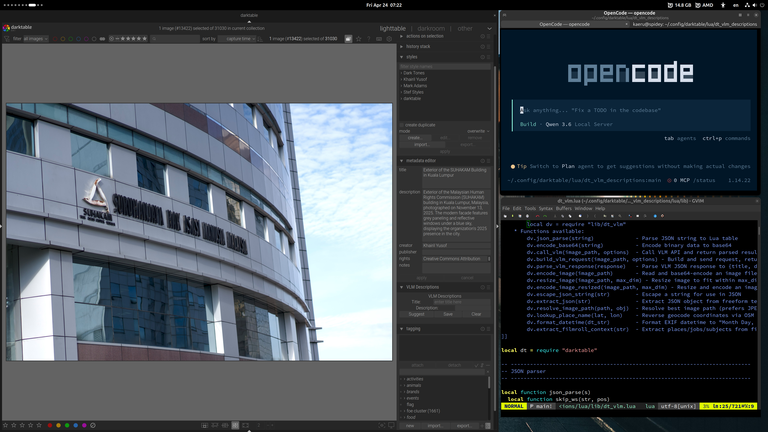
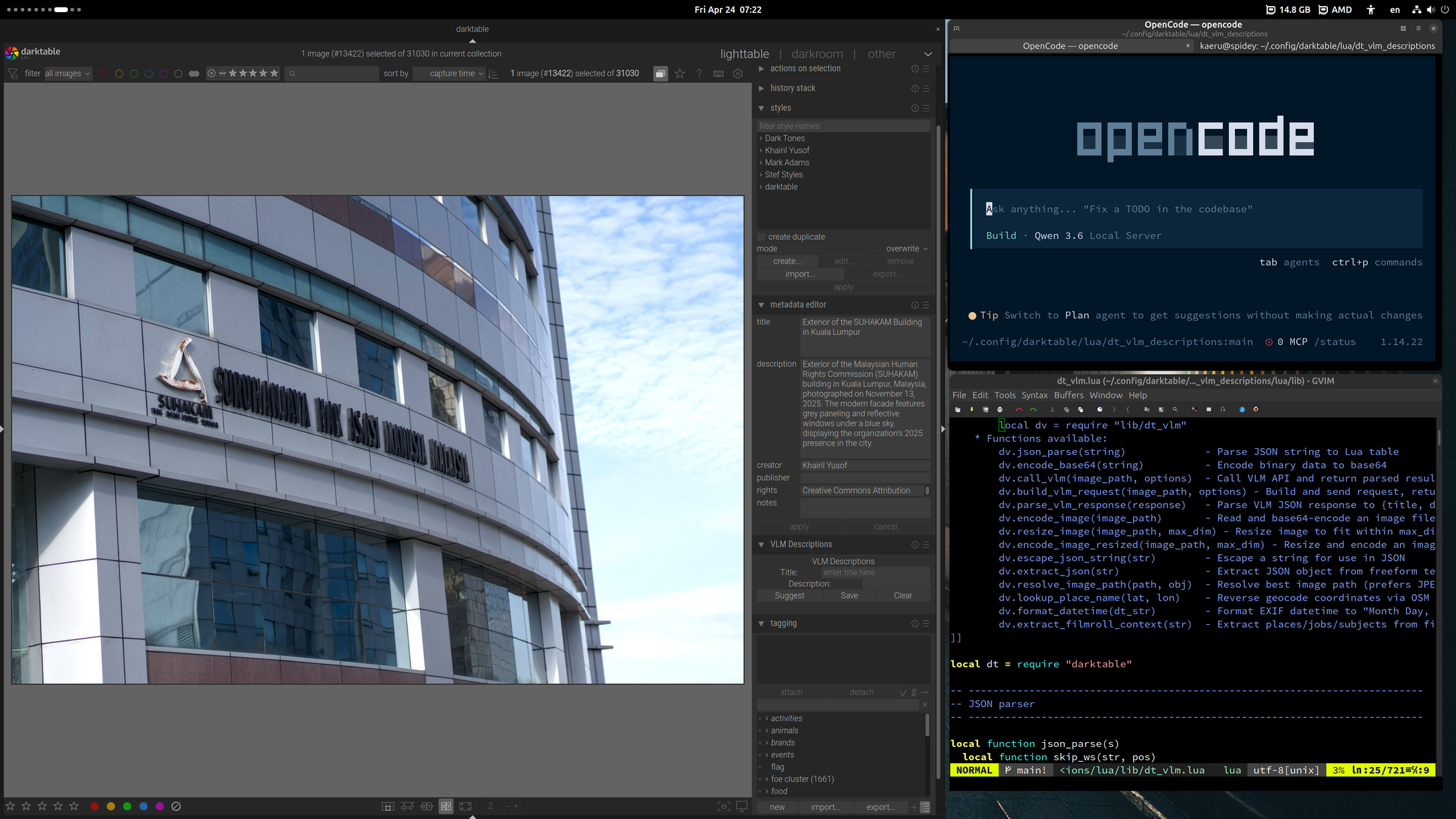
Second use case, was to develop a plugin for Darktable. The plugin was to gather context from existing metadata, and then pass it on to VLM to suggest a title and description for a photo. It should then be able to provide a good description with additional context time, location, subject, film roll and job code; but also details in the photos such as a placard, backdrop etc.
For this one, it's in LUA scripting language, and doesn't have as large and established code base like Plone. It does have examples and plugin documentation, but unlike maintenance tasks, the local AI agent will need to develop some new features which doesn't exactly have the same functionality or look up other examples and try to make it work for Darktable's LUA plugin architecture.
This one also worked well, but unlike the Plone use case, required a lot of AI agent hand holding, because it was developing features from scratch, and you needed to instruct and document clearly how things should work, but also point in right direction when it gets stuck. Also I didn't have time to explore yet how to test some features and get debug output without human intervention for GUI application like darktable.
You can get the proof of concept dt_vlm_descriptions plugin code here. Knowing that this works, I'm going to be working on a properly designed plugin.
Lesson learned, is that local open weight AI models that run on 16GB RAM and local open source agent AI harnesses like OpenCode, are now good enough to be productive and reduce workload in developing basic features and day to day maintenance work. Both these test cases tasks were done in a day, with the AI agent running in the background, while I work on other tasks. The plugin scripts especially provide features that help me be more productive with other tasks. But it was something I wouldn't have time to code myself.
The other is that the AI Agent works more like an intern or junior developer. It makes mistakes, gets stuck sometimes and also not always aware of what's the best way to do something. Some level of development knowledge and use cases is also needed to guide and instruct it. I had very clear idea of how to implement the plugin features and the architecture, and how to read LUA code and debug, as I was planning to code it myself. A code review of a feature, uncovered that it was overwriting metadata when it shouldn't. So it's not fully autonomous, you'll need to check, review, instruct and guide.
Still having a full time somewhat capable intern or junior dev is still a huge productivity gain. Everyday, a few maintenance or dev tasks that have been piling up will get done.
This local AI setup is only using 300W, so it's also not a huge energy and resource drain, and at least in my case powered by renewable solar energy.
Document Actions